Widgets
The Mountain, right on your Home Screen
See whether The Mountain is out without opening the app. Add a widget once and it stays current on its own.
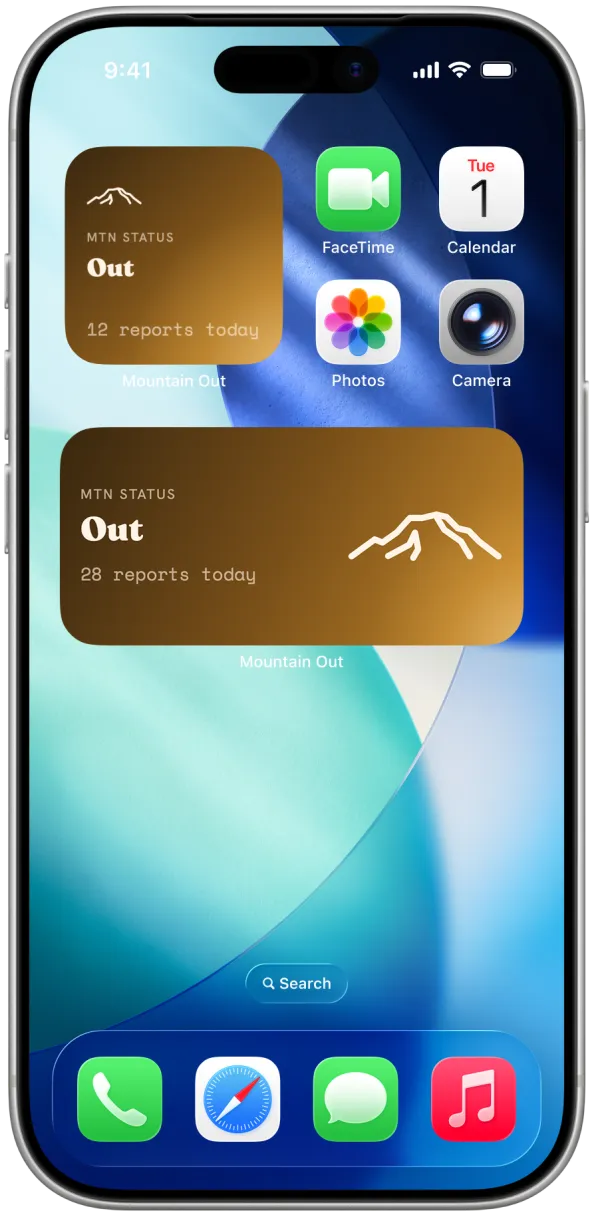
Every widget, everywhere you look
Each widget shows the current status and how many reports have come in today, without opening the app.
Home Screen widgets
Small and medium widgets for your Home Screen, showing whether The Mountain is out right now and how many reports have come in today.
- Small
- Medium
Lock Screen widgets
Widgets that sit right next to the clock on your Lock Screen, so today's status is one glance away without unlocking your phone.
- Lock Screen
Free for everyone
Free, no account needed
The status widgets are free and do not need an account. Add one and it updates on its own.
How to add a widget
Home Screen and Lock Screen widgets are added differently, right from your iPhone.
Home Screen
-
1
Touch and hold an empty area of your Home Screen until the apps jiggle.
-
2
Tap the Edit button in the upper-left corner, then tap Add Widget.
-
3
Search for "Is The Mountain Out," choose a size, then tap Add Widget.
-
4
Tap Done.
Lock Screen
-
1
Touch and hold your Lock Screen until Customize appears, then tap it.
-
2
Tap Add Widgets.
-
3
Scroll to Is The Mountain Out, then tap or drag it into a widget area.
-
4
Swipe down from the widget list, then tap Done.